


This guide explains how to use updowntrends step by step: evaluate forecast quality via metrics, understand market regimes through performance, compare predictions per horizon, and validate individual assets transparently on the detail page.
All analyses and forecasts are generated automatically using AI and technical analysis. They are for informational purposes only and do not constitute investment advice.
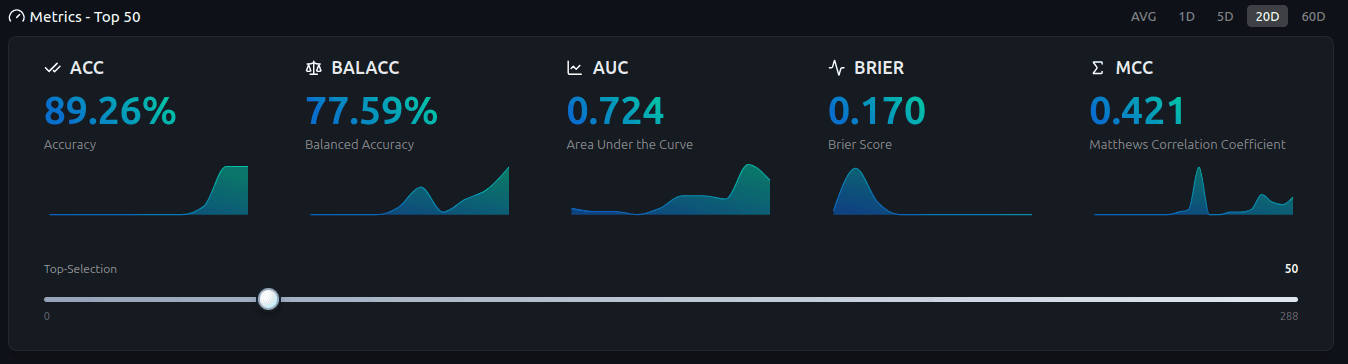
The Metrics Overview is the entry point to objectively evaluate AI forecast quality. Select the base (e.g., all, stocks, or a specific index), the prediction horizon, and the top selection. This helps you quickly see where the model historically produced robust signals.
The horizon determines whether you analyze short-term signals (1–5 trading days) or more stable mid-term horizons (20–60 trading days). AVG is a weighted average across horizons (1D 0.20 · 5D 0.25 · 20D 0.25 · 60D 0.30).
Interpretation: Use metrics as a quality filter. Higher values (e.g., AUC/MCC) indicate better separation. Lower values suggest being more cautious or selecting a different horizon.

This view shows historical performance of the selected assets over a defined period (e.g., 1Y to 1D). It provides the context needed to interpret forecasts properly.
Tooltips provide per-asset details. The pie chart summarizes whether market breadth was mostly positive or negative — useful to distinguish trending vs drawdown phases.
Interpretation: In clear trend regimes, mid horizons (20–60) are often more stable. In volatile regimes, switching horizon can help reduce noise.

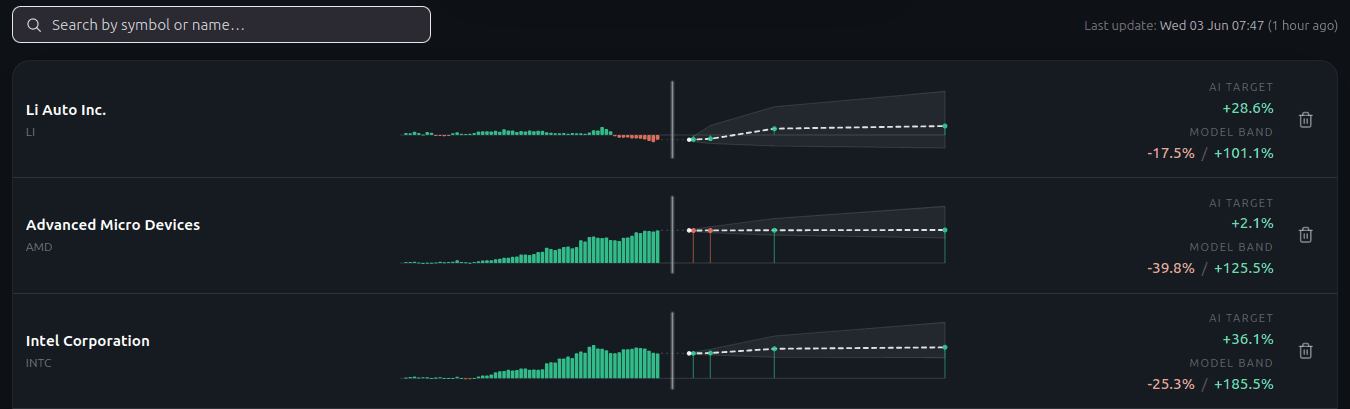
This overview shows all predictions for the selected assets on the chosen horizon. It gives you a fast market snapshot: how many assets are UP, DOWN, or neutral?
Select the horizon (1 to 60 trading days) to separate short-term moves from mid-term trends. Tooltips show per-asset signal and UP probability.
Interpretation: Many aligned signals on the same horizon indicate broad strength. Strongly mixed signals often point to sideways or transition phases.

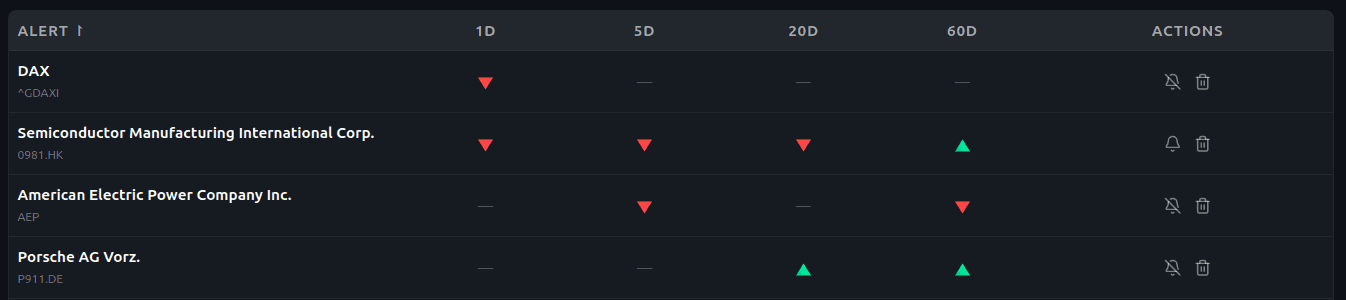
The prediction table provides a detailed overview across all assets. Every column is sortable (e.g., accuracy, performance, direction). Search takes you directly to the asset detail page.
Interpretation: A proven workflow is: sort by quality first (e.g., AUC/MCC/ACC), then filter by direction (UP/DOWN), and validate on the asset detail page.

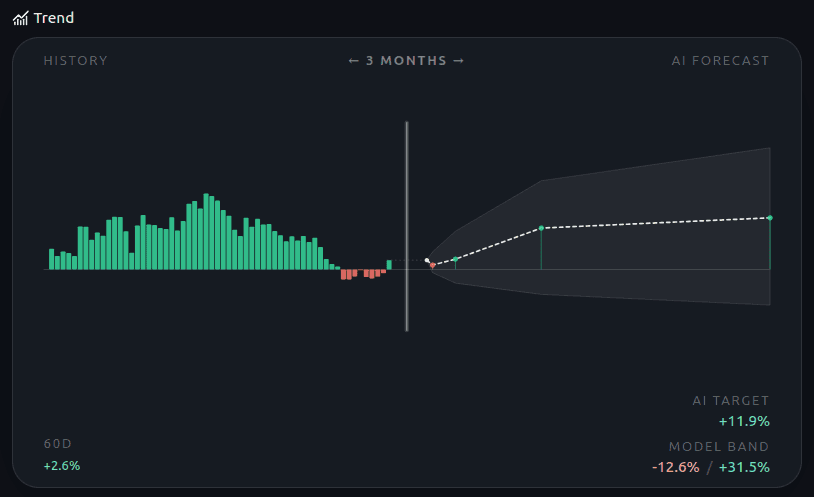
The performance chart shows an asset’s historical development. You can identify trend direction, reversals, and move strength — the most important context before interpreting predictions.
Interpretation: When trend and prediction align, signals are often more robust historically. Counter-trend signals can work, but tend to be more regime- and volatility-dependent.
Choose the horizon that matches your time frame to avoid confusing short-term noise with mid-term trends.

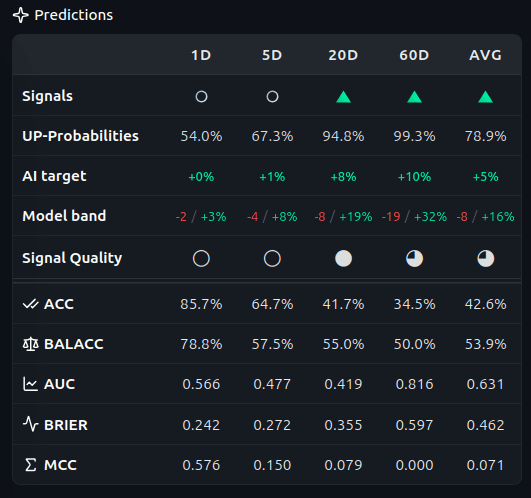
The predictions table shows forecasts for horizons from 1 to 60 trading days (plus AVG). For each horizon you see the signal (UP/DOWN/UNCLEAR) and the UP probability — turning forecasts into probabilistic statements rather than rigid yes/no calls.
Transparency: Horizon-specific quality metrics are shown (e.g., ACC, BALACC, AUC, Brier score, MCC). This lets you evaluate not only the signal, but also historical reliability for this asset and horizon.
Note on 0% or NA: If a metric shows 0% or NA, it could not be computed reliably in the selected window — typically because there isn’t enough history (e.g., at least 60 trading days for 60D metrics).
Metric definitions are explained on Technology.

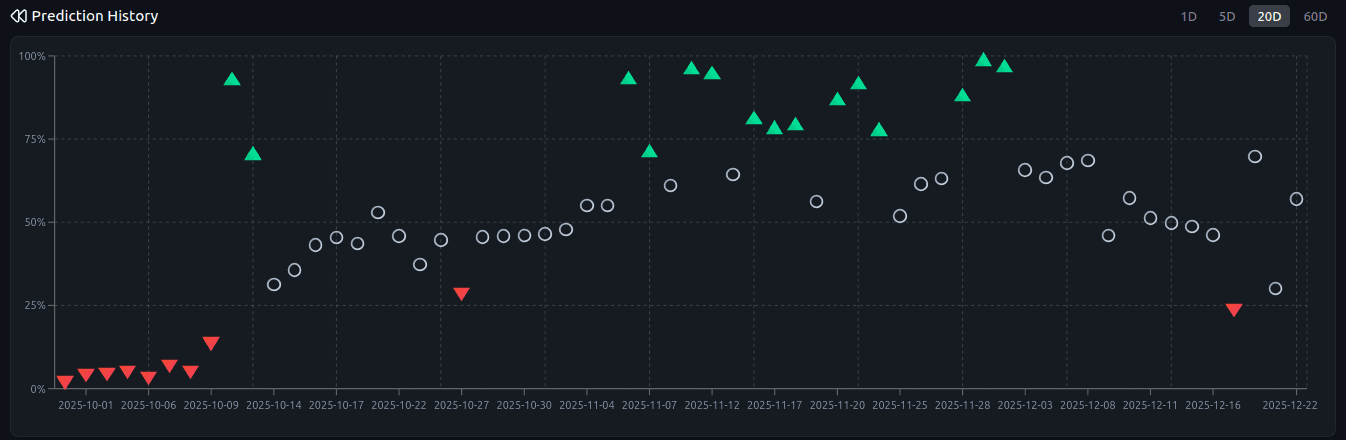
Prediction history shows UP probabilities and signals over time. Select a horizon to see whether the view was consistent or changed frequently.
Interpretation: Stable clusters indicate more reliable signals. Isolated spikes are often short-term market noise.

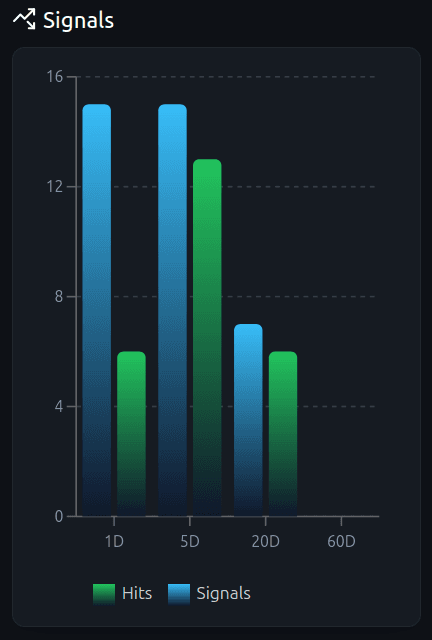
This chart shows generated signals and hits per horizon. It helps you quickly identify which horizons were historically more reliable for this asset.
Interpretation: A horizon with consistently more hits is often the better choice — even if other horizons show stronger but less reliable spikes.

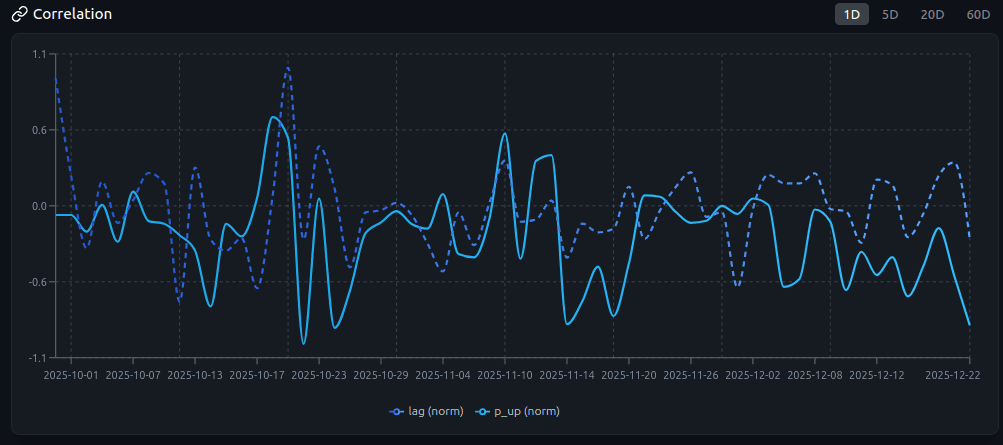
The correlation plot compares normalized prediction values (p_raw − 50%) with normalized performance values (lag). Visually, it shows whether predictions and later price moves historically aligned.
Interpretation: A visible positive structure indicates genuine forecast quality. A diffuse cloud suggests weak or regime-dependent signals — consider switching horizon or revisiting the asset selection.

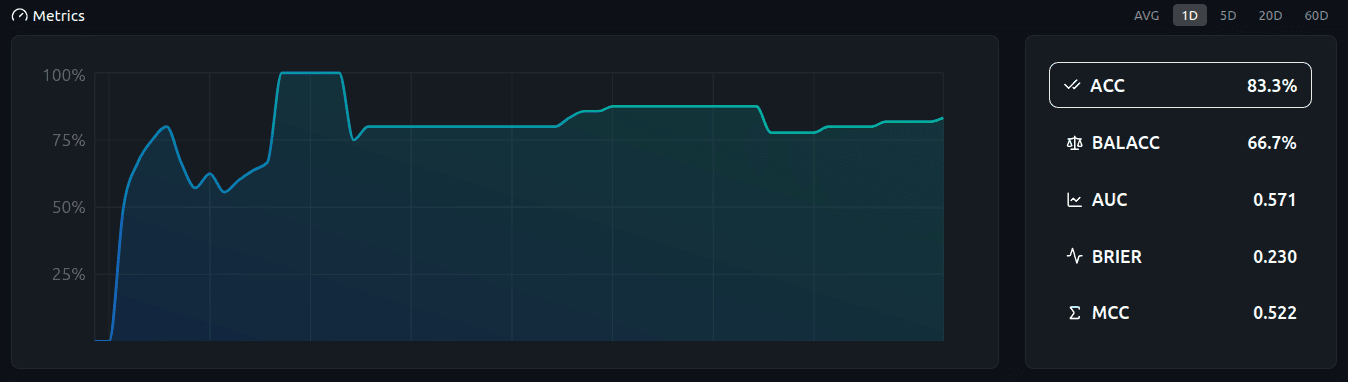
This view shows how a selected quality metric evolves over time. It helps detect stability, improvements, or regime shifts that can influence forecast quality.
For methodology and metric definitions, see Technology.
